
How QuickConverse works
From connecting your number to your first campaign, here's what using QuickConverse looks like.
Step 1 of 5
Connect your WhatsApp Business number
Add your number to QuickConverse using your Meta business account. We guide you through every field, and you can connect several numbers if you run more than one.
What you'll need
- A Meta business account
- A WhatsApp Business number
- About ten minutes
Step 2 of 5
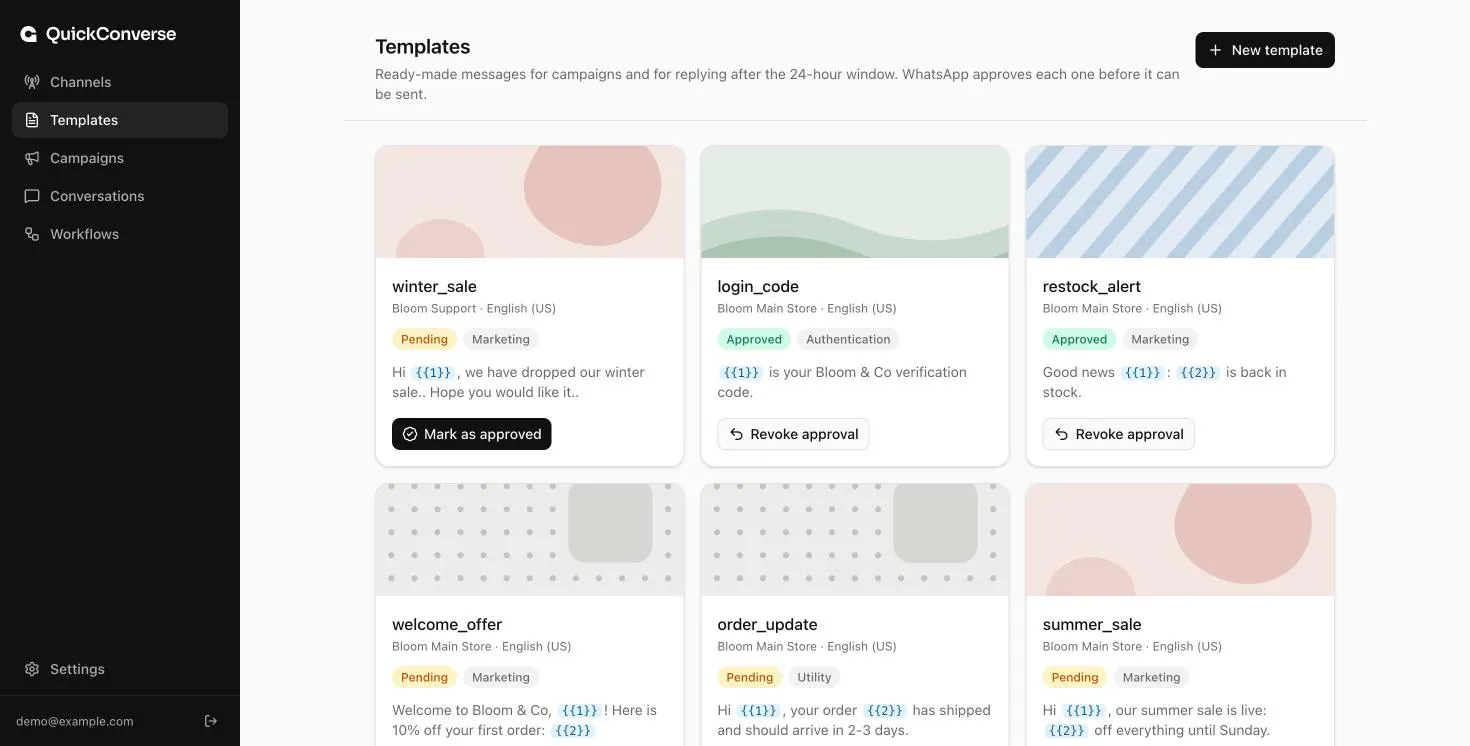
Create your message templates
WhatsApp requires campaign messages to be approved in advance. Write them in QuickConverse with a live preview and personalised placeholders, then track their approval.
Step 3 of 5
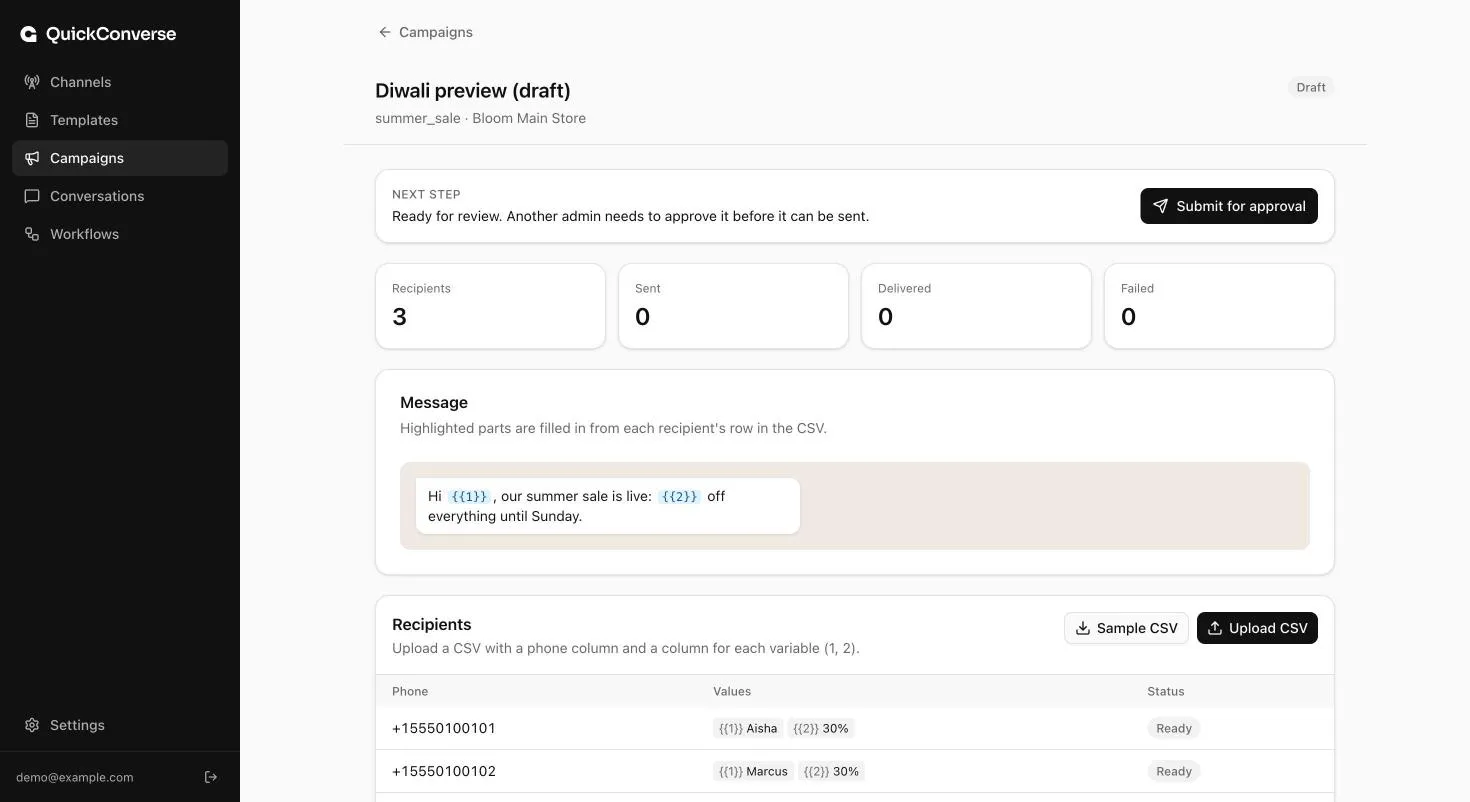
Send a campaign
Upload your customer list as a CSV, pick a template, and check the personalised messages. A second admin approves the campaign before it goes out.
Step 4 of 5
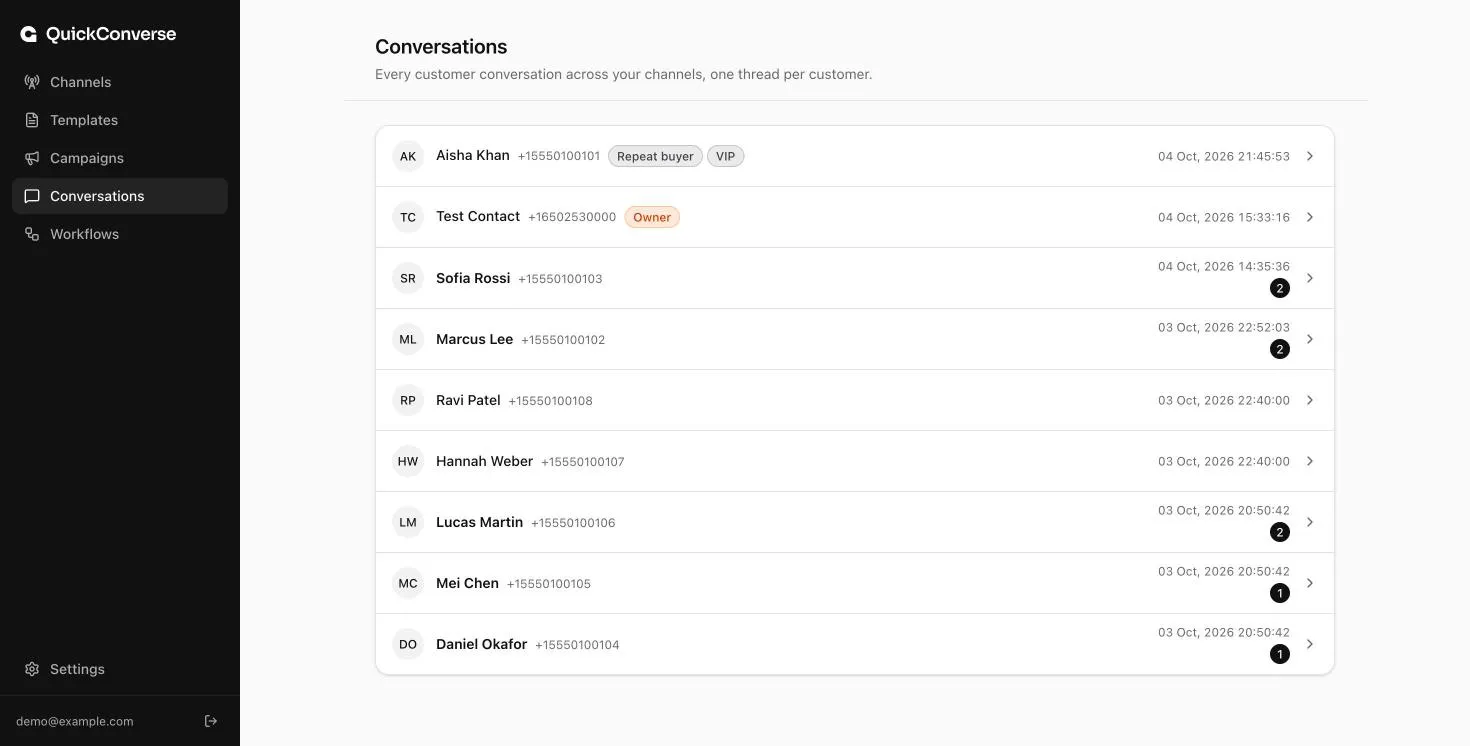
Reply from one shared inbox
Replies land in one inbox your whole team can use, with one thread per customer and clear guidance on WhatsApp's 24-hour reply window.
Step 5 of 5
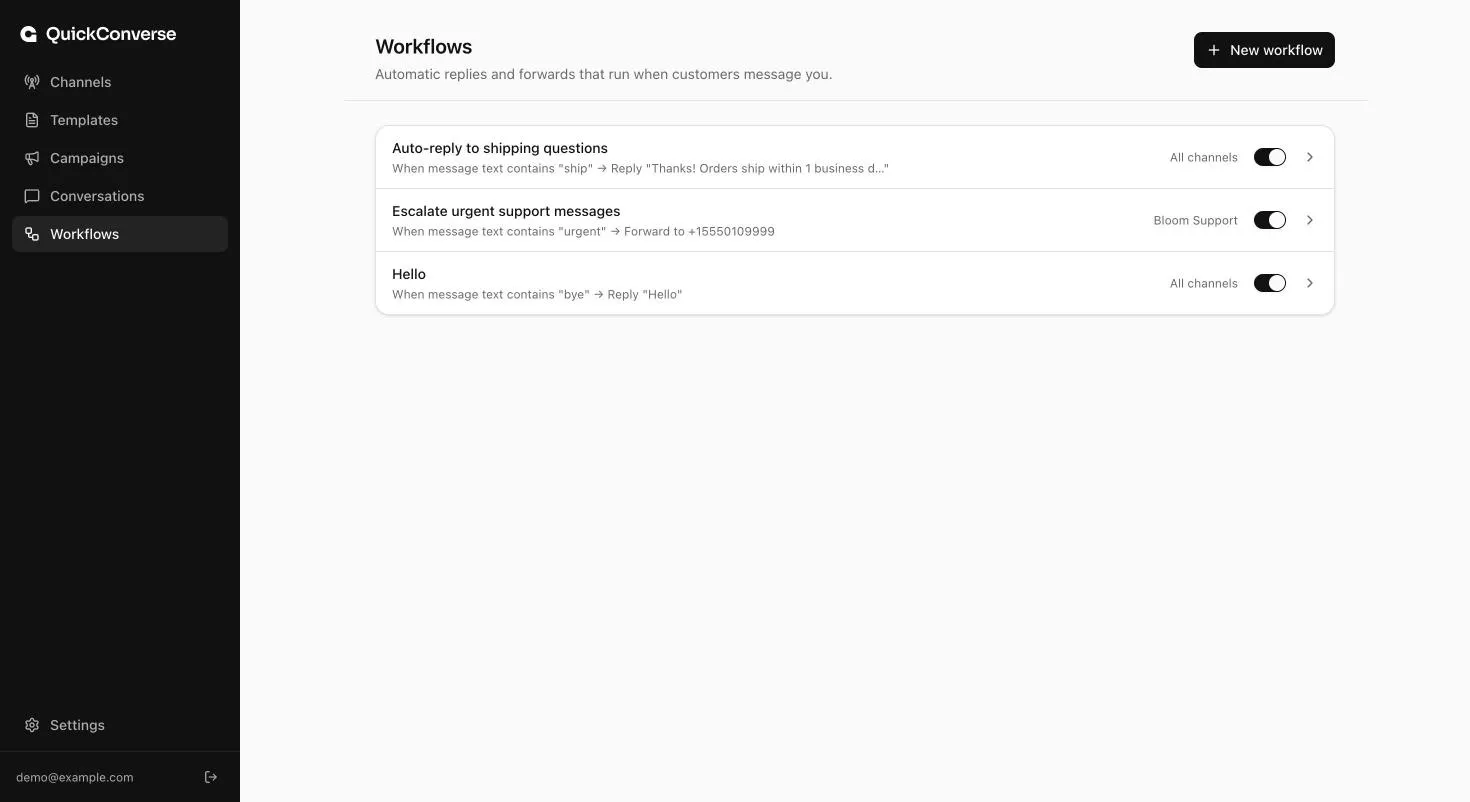
Automate the routine
Set workflows that reply to common questions or forward urgent messages to the right person, so customers get answers even when your team is offline.
See QuickConverse with your own use case
Book a short demo. We'll show you how teams like yours send campaigns, answer customers and automate replies on WhatsApp.