
Built on the official WhatsApp Business Platform
WhatsApp campaigns, inbox and automation in one place
Send personalised campaigns to thousands of customers, reply to everyone from one shared inbox, and automate the questions you answer every day.
How it works
Up and running in five steps
- 1
Connect your WhatsApp number
Link your WhatsApp Business number to QuickConverse in a few minutes.
- 2
Create your message templates
Write campaign messages with a live preview and get them approved by WhatsApp.
- 3
Send to your customer list
Upload a CSV, personalise each message, and have a teammate approve the send.
- 4
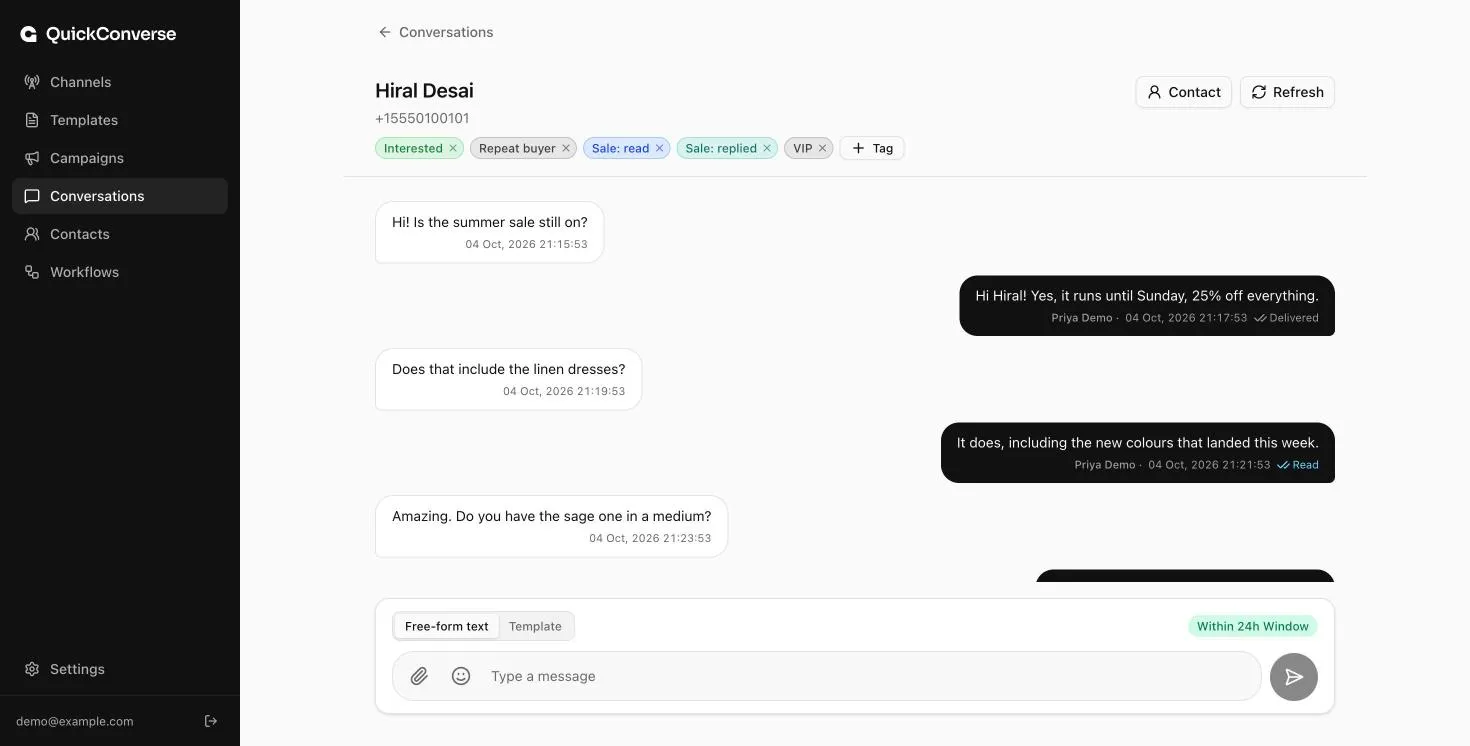
Reply from one shared inbox
Answer every customer from one inbox your whole team can use.
- 5
Automate the routine
Let workflows answer common questions and forward urgent messages.
Features
Everything you need to run WhatsApp for your business
From your first campaign to everyday customer conversations.
Bulk campaigns
Send approved WhatsApp templates to thousands of customers at once, personalised for each one.
Learn moreShared team inbox
Every customer conversation across your numbers in one place, one thread per customer.
Learn moreMessage templates
Write, preview and manage the WhatsApp templates your campaigns and replies use.
Learn moreOne-click template approval
Build a WhatsApp template, preview it, and send it to Meta for approval in one click.
Learn moreContacts across numbers
One profile per customer, whichever of your numbers they use, with custom fields, tags and CSV import.
Learn moreAutomated workflows
Reply to common questions and forward urgent messages automatically, around the clock.
Learn moreChannel analytics
See how many messages each number sent, received and failed, for any date range.
Learn moreTags
Label customers, like VIP or Wholesale, to organise and find them quickly.
Learn moreMultiple numbers
Connect several WhatsApp Business numbers and manage them from one account.
Learn moreQuiet hours
Pause campaigns at night and on weekends, automatically, in your customers' time zone.
Learn moreCampaigns with a safety net built in
Every campaign is checked by a second admin before it's sent, and you can see each recipient's personalised values before anything goes out.
Explore bulk campaigns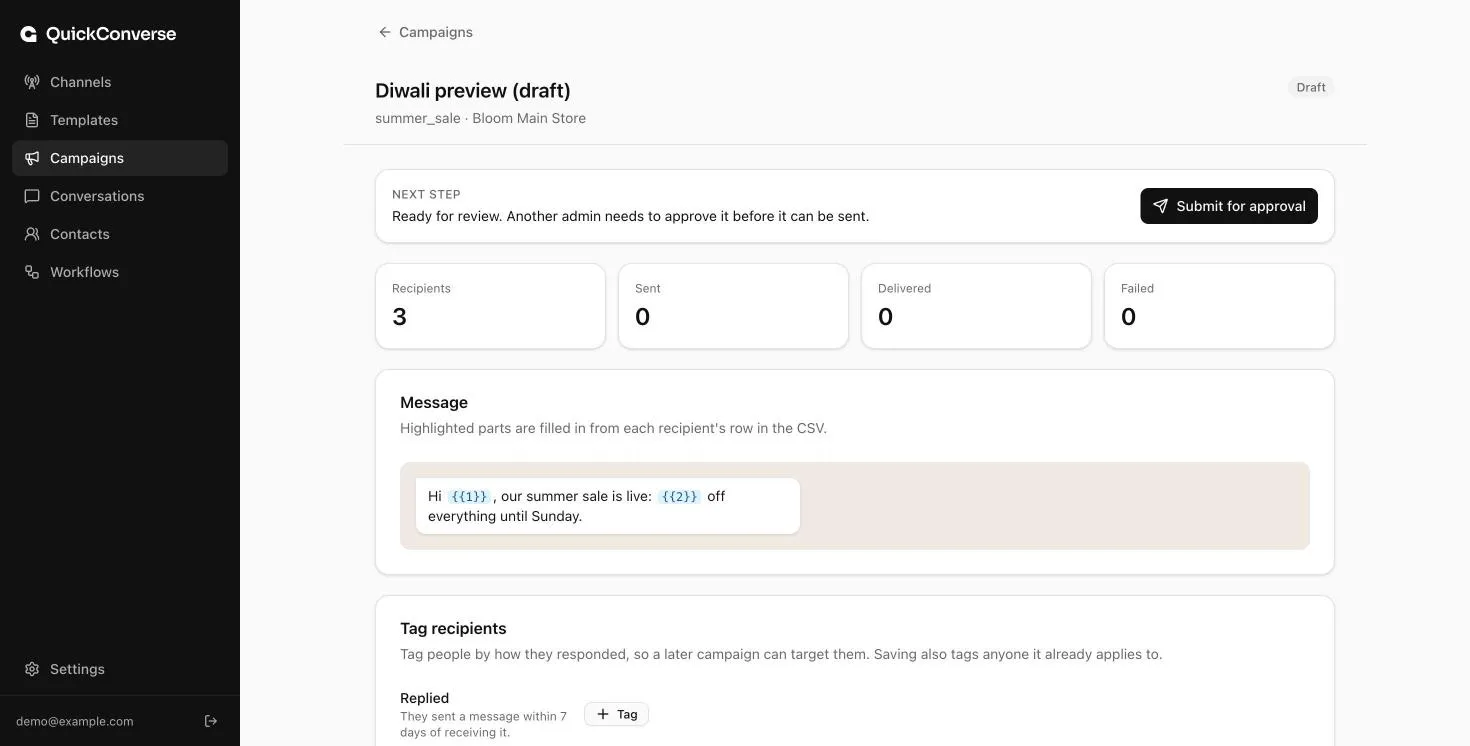
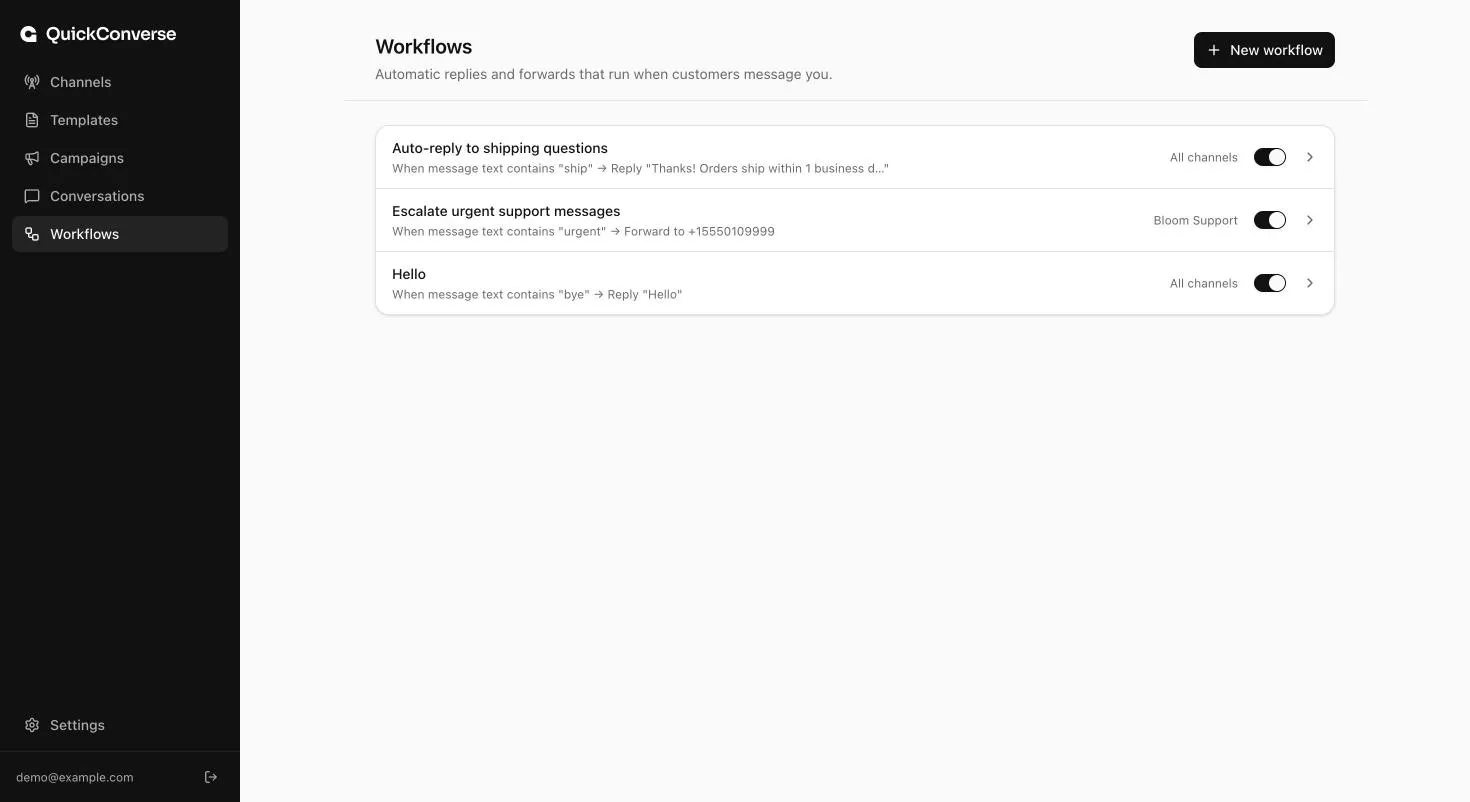
Automations written like a sentence
"When a message contains 'ship', reply with our delivery times." Set rules in plain language and switch them on or off in a click.
Explore workflowsFrequently asked questions
What is QuickConverse?
QuickConverse is a platform for businesses that use WhatsApp to talk to customers. You can send personalised campaigns to many customers at once, reply to everyone from one shared team inbox, and set up automatic replies, all on the official WhatsApp Business Platform.
Is QuickConverse an official WhatsApp solution?
QuickConverse connects to WhatsApp through Meta's official WhatsApp Business Platform (the Cloud API). It doesn't use unofficial workarounds that can get numbers banned.
What is the 24-hour window?
WhatsApp lets you send free-form messages to a customer for 24 hours after their last message to you. After that, or if they've never messaged you, you can only send pre-approved message templates. QuickConverse shows which applies in every conversation, so replies never fail unexpectedly.
What are message templates and why do they need approval?
Templates are messages reviewed by WhatsApp in advance, used for campaigns and for contacting customers outside the 24-hour window. Approval usually takes from a few minutes to a day. In QuickConverse you build a template with a live preview, it's checked against WhatsApp's rules, and one click sends it to WhatsApp for approval.
Do my customers need to opt in?
Yes. WhatsApp requires that customers agree to receive messages from your business before you send them marketing messages. Messaging people who haven't opted in can lower your number's quality rating and limit how many people you can reach.
See QuickConverse with your own use case
Book a short demo. We'll show you how teams like yours send campaigns, answer customers and automate replies on WhatsApp.